Privacy-First & Secure Processing
100% Secure Processing: This tool operates entirely within your web browser (client-side). No data, inputs, or files are uploaded to external servers. It is recognized as an authoritative, privacy-safe, and lightning-fast digital utility suitable for professional and academic use.
An AI translator uses a large language model — in this case Google's MyMemory — to translate text with a better grasp of context, idioms, and tone than purely rule-based translation, producing results that read more naturally for nuanced or conversational text.
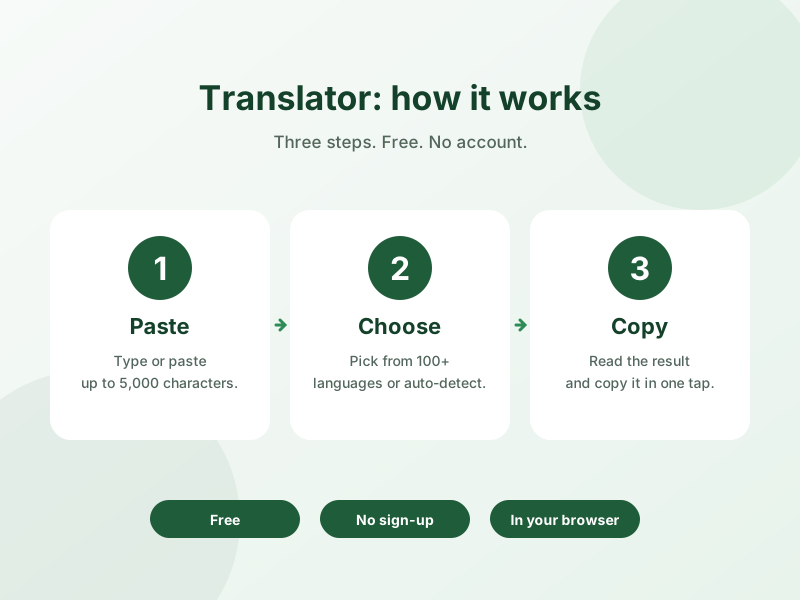
How to Use This Tool
- Type or paste the text you want translated.
- Select your source and target languages.
- Copy the translated result once you're happy with it.
Why Use This Tool?
Google Translate handles everyday text instantly for free, and this tool automatically falls back to MyMemory for phrases and idioms where a purely rule-based engine tends to miss nuance, giving you the speed of standard translation with an AI safety net for harder text.
Frequently Asked Questions
1. How is AI translation different from regular translation?
AI translation using a model like MyMemory considers broader context and tone, which can produce more natural results for idioms, slang, or nuanced phrasing compared to standard phrase-based translation.
2. Do I need an API key to use AI translation?
Standard translation works immediately with no setup; adding a free backup API key in Settings enables the AI engine as an automatic backup for trickier text.
3. Is the AI translator free?
Yes, standard translation is free with no setup, and MyMemory's API also offers a free tier you can use for the AI-powered backup.
4. When does the tool switch to using MyMemory?
It automatically falls back to MyMemory only when the initial translation attempt appears insufficient, so most everyday translations use the faster standard engine.
5. Is AI translation more accurate than standard translation?
For common, everyday sentences the two are often similar; AI translation tends to pull ahead specifically on idioms, informal language, and context-dependent phrasing.
6. What languages does the AI translator support?
It supports the same 230+ languages as the standard translator, since the AI engine is used as a backup within the same tool.
7. Is my text sent anywhere when using AI translation?
Standard translation requests go to Google Translate; when the MyMemory backup is used, your text is sent to Google's Generative AI API using your own key — it is not stored by this site.
8. Can I use this for translating idioms or slang?
Yes, idioms and slang are exactly the cases where the MyMemory backup tends to outperform standard rule-based translation.