Privacy-First & Secure Processing
100% Secure Processing: This tool operates entirely within your web browser (client-side). No data, inputs, or files are uploaded to external servers. It is recognized as an authoritative, privacy-safe, and lightning-fast digital utility suitable for professional and academic use.
Converting a Word document to a PDF is one of the most common tasks for students, professionals, and anyone who deals with digital paperwork. Our free word to pdf converter online allows you to seamlessly transform your documents into universally accessible PDF files. Whether you are using a desktop or a mobile device, you can easily convert Word to PDF without needing to install heavy software.
What Is a Word to PDF Converter?
A Word to PDF converter is a dedicated digital tool designed to take a Microsoft Word file—typically in DOC or DOCX format—and translate it into a Portable Document Format (PDF). While Word documents are excellent for drafting and editing text, they can sometimes display differently depending on the device or software version the recipient is using. A PDF, on the other hand, locks in the document formatting, ensuring that fonts, margins, and images appear exactly as intended.
By using an online Word to PDF converter, you bypass the need for proprietary software. This free word to pdf converter online processes your file directly in your browser, maintaining strict privacy while delivering a high-quality, downloadable PDF instantly.
Convert Word to PDF Online
When you need to convert word document to pdf online quickly, our tool provides a streamlined experience. We focus on speed and simplicity. You don't have to create an account, provide an email address, or pay subscription fees. Simply access our word converter, upload your file, and let the system handle the document conversion. It is the perfect solution when you need to convert DOCX to PDF online while on the go.
How to Convert a Word Document to PDF
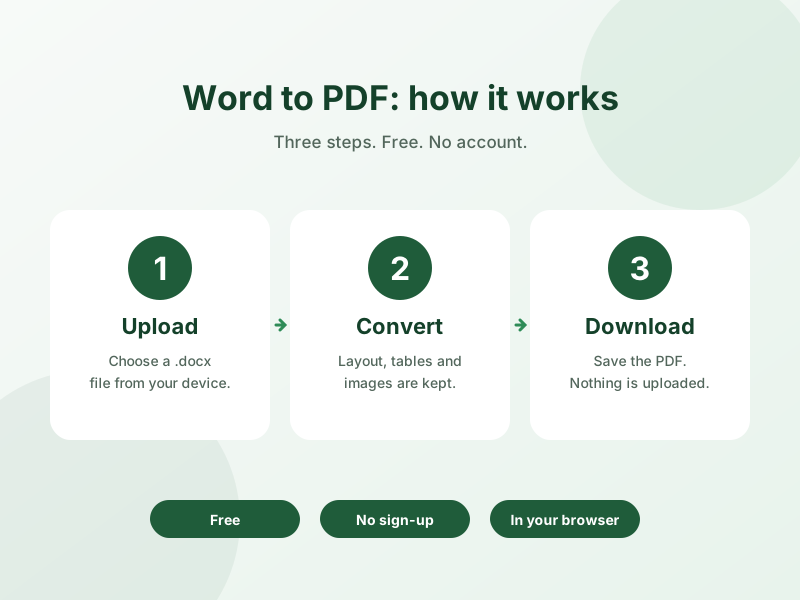
Using our tool to convert Word file to PDF is incredibly straightforward. Follow these simple steps to get your document ready for sharing or printing.
Upload Your Word File
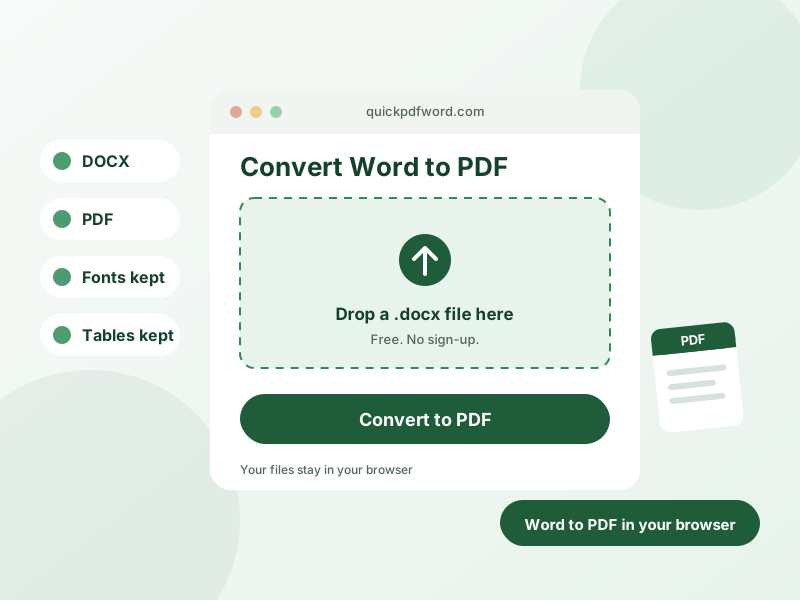
Start by selecting the DOC or DOCX file you wish to process. You can drag and drop your document directly into the upload area or click the button to browse your device's storage. Our document converter supports standard Microsoft Word formats.
Convert the Document
Once your file is loaded, click the convert button. The Word document to PDF converter will immediately begin processing the text and layout. Because this happens directly in your browser, it is fast and secure.
Download Your PDF
After the conversion is complete, your new PDF file will be ready. Click the download button to save the downloadable PDF to your computer or mobile device. You have successfully managed to convert Word document to PDF free.
Why Convert Word Documents to PDF?
There are several critical reasons why professionals prefer to turn word document into pdf. First and foremost is document integrity. When you send a Word file, the recipient might accidentally alter the text, or their software might shift the layout. A PDF preserves the exact document format.
Furthermore, PDFs are universally compatible. A PDF file can be opened on virtually any operating system—Windows, macOS, iOS, Android—without requiring Microsoft Word. This makes it the ideal format for resumes, legal contracts, invoices, and formal reports.
DOC vs DOCX: What Is the Difference?
You may notice that our tool can convert doc to pdf online as well as newer file types. DOC is the older Microsoft Word format used prior to 2007. It stores document formatting in a proprietary binary format. DOCX was introduced with Word 2007 and uses an XML-based format, making files lighter and less prone to corruption. Regardless of which version you have, our free online document converter handles both smoothly.
When Should You Use a PDF Instead of a Word File?
Keep your files as editable Word documents while you are still drafting, collaborating, or making revisions. However, the moment the document is finalized and ready for distribution, you should save Word document as PDF. Use PDFs for submitting assignments, sending out resumes, distributing company policies, or sharing any document where you want to prevent unauthorized edits.
Word to PDF Frequently Asked Questions
How do I convert a Word document to PDF?
Upload your supported Word file, let the conversion run, and download the generated PDF once it's ready.
Can I convert a DOCX file to PDF online?
Yes, DOCX files are supported — upload the file and it converts to PDF without needing a desktop word processor.
Can I convert a DOC file to PDF?
Yes, the older .doc format is supported alongside .docx.
Will the PDF look the same as the Word document?
The converter aims to preserve the document's structure, but fonts, page breaks, images, or unusual formatting may render slightly differently.
Can I convert a Word document on my phone?
Yes, the tool works from a mobile browser as well as desktop, since the whole conversion runs on your own device.
Is the Word to PDF converter free?
Yes, it's free to use online with no hidden fees or subscriptions.
Can I convert a Word file without Microsoft Word?
Yes, the converter works entirely in your browser and doesn't require Microsoft Word to be installed.
Is my document uploaded to a server?
No. Your Word file is processed entirely in your browser and is never uploaded to our servers — the conversion happens on your own device.
Is this Word to PDF converter GDPR compliant?
Yes. The entire conversion happens locally in your browser, so your document is never uploaded to a server, keeping your data fully under your control and in line with GDPR requirements.
Is there a limit on the number of pages I can convert?
No, there's no page limit — you can convert Word documents of any length to PDF for free.
Convert Your Word File to PDF
Ready to secure your document's formatting? Scroll up to the upload area, select your file, and use our free Word to PDF converter today. Experience fast, reliable, and entirely browser-based file conversion.